prod like a pro
since starting to release/deploy some of my personal projects to the wild, i’ve always fancied getting close to a release pipeline which is as seamless and “intuitive” as what i’ve grown accustomed to at work over the years.
tl;dr?
i deploy docker containers to cheap VPSes running caprover using github actions and tagged releases.
what “pro” looks like
if you’ve worked in a place which has a functioning “devops” (or is it “devsecops” these days?), taking things to prod may look something like the following:
- raise a pull request against a branch
- upon merging that PR, the changes get deployed to a
stagingordemoenvironment - after testing/validation is done in that environment, the changes are “released” to
production
of course, there could be some intermediary steps in between, but the core idea remains:

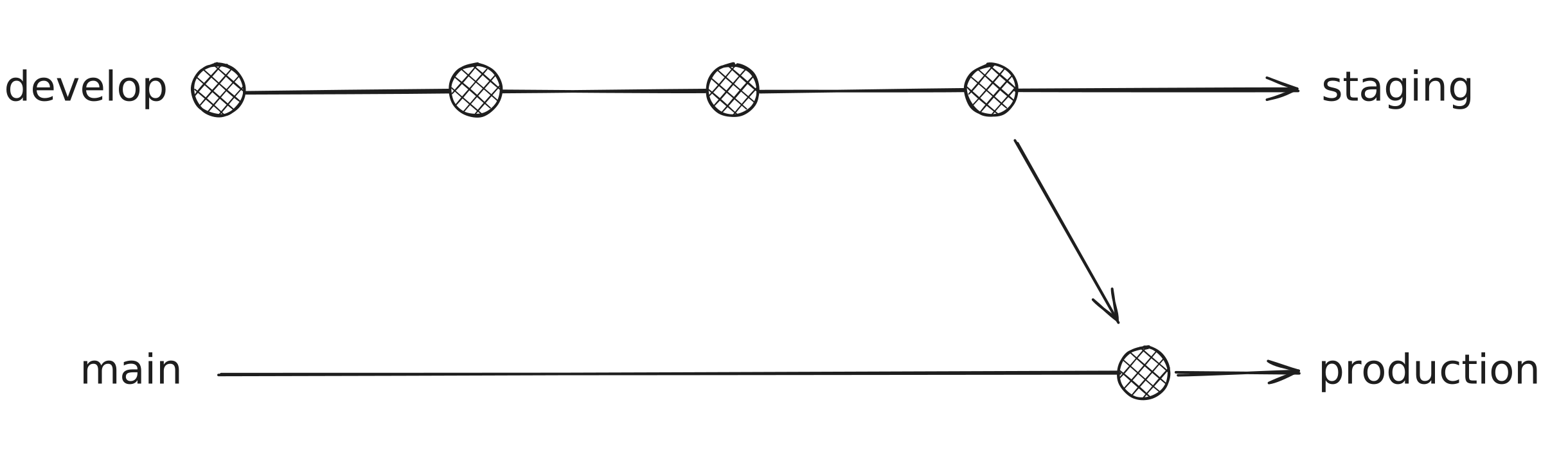
at some places where i’ve worked, branches typically corresponded to environments, where a merge to a develop branch triggers a deploy to the staging environment, while merging the develop branch into a main branch triggers the deployment to production:
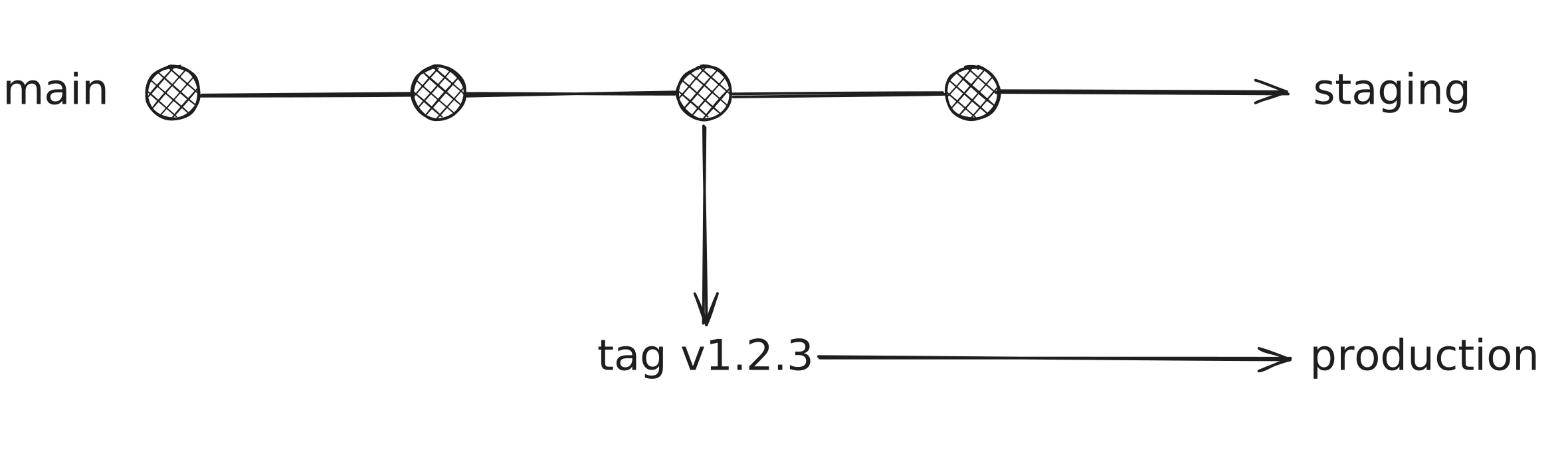
some other places had just one trunk: main.
a merge to main triggered the build to staging, and a separate process - like cutting a tag - was responsible for the production release:
i’ve come to prefer this second approach, and that’s exactly what i have been refining for my projects over the last few years.
my current infra
i package and deploy my backend services as docker containers on cloud VPSes from the likes of DigitalOcean, OVH & Hetzner.
each service i run is deployed as a docker swarm service, and i typically would have multiple services running per box.
all of this is made possible by caprover, which is effectively a very clean wrapper around docker swarm and nginx.
i’m typically always running 3 remote machines - one for staging and the other two for prod.
the staging one is effectively a “dumpsite” for a lot of my personal services which may never see the light of day, but need to be deployed somewhere for me to make use of them.
the prod servers on the other hand only hold “serious” services and they’re set up in a way that effectively gives each deployed service on there high availability and each server is with a different service provider - story for another note maybe?
how i release
as stated earlier, i prefer the single trunk approach and have set up my release pipeline in that fashion.
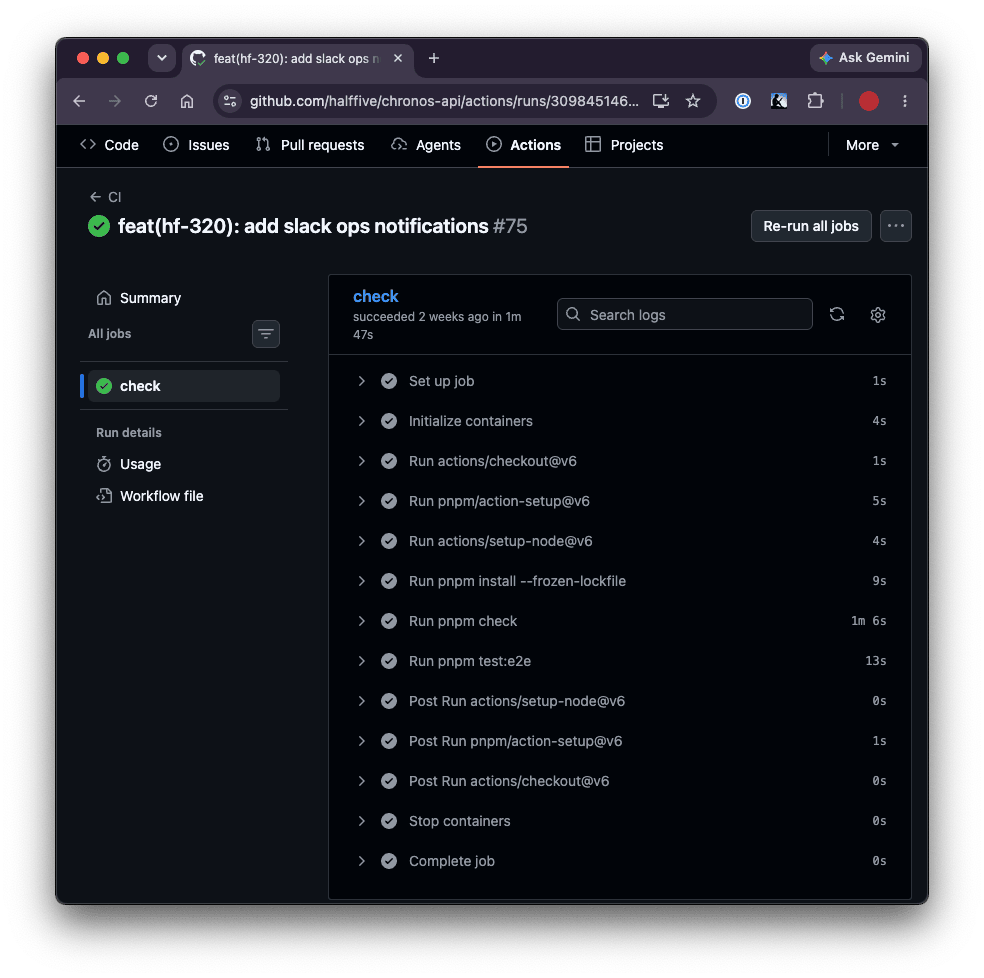
for chronos, for example, after working on a change which i need to take all the way to prod, i raise a pull request against main.
this triggers a CI run which checks linting, build, then runs unit & e2e tests:
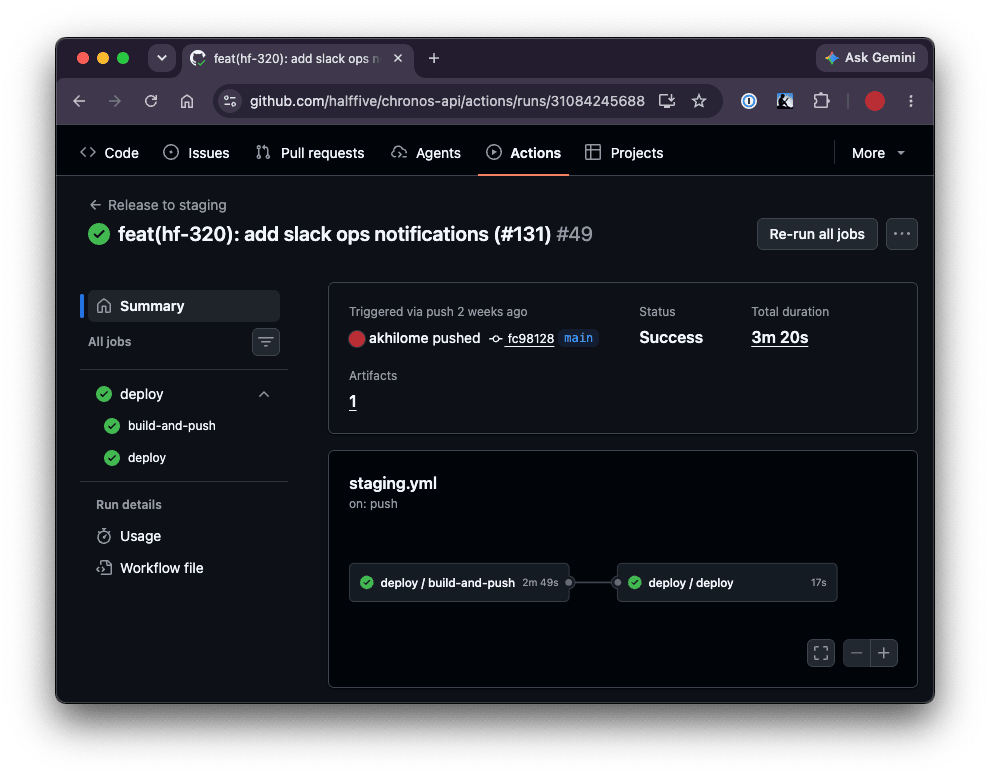
once all checks are green, i merge to main which:
- builds a new docker image and pushes to a container registry (i use ghcr, can be any, really)
- triggers an automatic release of the built image from the previous step to the staging box using caprover cli
after running a few validation steps in the deployed staging environment and i am satisfied/ready to go to production, i then cut a new release on github (which also creates a tag).
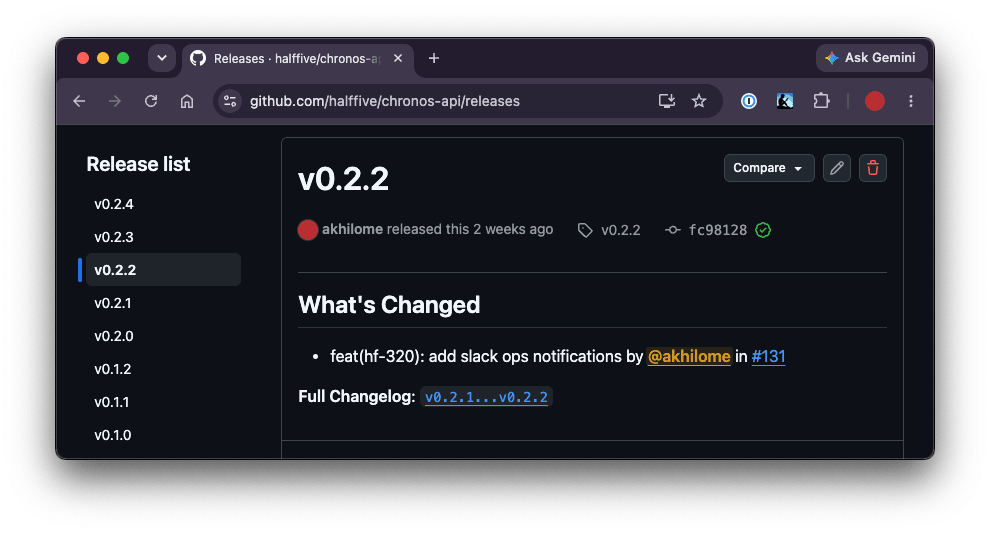
upon publishing the release, a github actions workflow which listens on newly published releases builds an image with the tag and triggers the release via caprover cli to the prod servers:
name: release to production

on:
  release:
    types: [published]

permissions:
  contents: read
  packages: write

jobs:
  deploy:
    uses: ./.github/workflows/deploy.yml
    with:
      environment: production
      environment-url: https://api.chronos.sh
      app-name: chronos-api
      image-tags: |
        type=raw,value=production
        type=raw,value=${{ github.event.release.tag_name }}
      deploy-tag: ${{ github.event.release.tag_name }}
    secrets: inherit
this release workflow makes use of a reusable deploy.yml which i have for my caprover deployments. here’s an excerpt to get the idea:
# excerpt
deploy:
  needs: build-and-push
  runs-on: ubuntu-latest
  permissions: {}
  environment:
    name: ${{ inputs.environment }}
    url: ${{ inputs.environment-url }}
  steps:
    - env:
        CAPROVER_URL: ${{ secrets.CAPROVER_HOST }}
        CAPROVER_APP_TOKEN: ${{ secrets.CAPROVER_APP_TOKEN }}
        IMAGE: ghcr.io/${{ github.repository }}:${{ inputs.deploy-tag }}
      run: |
        npx -y caprover deploy \
          --caproverUrl "$CAPROVER_URL" \
          --appToken "$CAPROVER_APP_TOKEN" \
          --appName "${{ inputs.app-name }}" \
          --imageName "$IMAGE"
i also make use of the github actions environments feature which helps with env secrets isolation as well as deployments history among other things.
so far so good
i’ve been running the formation above for the past 4 years and it’s been serving quite nicely.
i, of course, have been refining as i go, but the core paradigms have remained intact - CI validates, builds and publishes an image to a container registry, release triggers point my servers to the tagged images.
i’m using caprover/vps today, but if i’m ever rich enough to use aws, it would fundamentally remain almost identical.